Tuesday, September 10, 2013

Promotional Frenzy Team On Etsy - All Star Members Part 1

The Promotional Frenzy Team is all about promoting!  We believe strongly that if you give a lot of effort you will receive a lot in return.   So today's post is the 1st of several posts that will highlight our most active members.

These members are highly active, making sure to do 3, 4, and 5 activities a week!  And we want to make sure that their dedication is rewarded so please take time to promote this post and to promote their shops!

1.  Unique Kitchen Appliance Covers - Patsys Patchwork


Red Rooster Toaster Cover 
RT: twitter.com/PromoFrenzy/status/377240112746070016
Wanelo: wanelo.com/p/7282492/red-toile-rooster-toaster-cover
G+: plus.google.com/u/0/104629151189551840701/posts/WCpJu4uKHuv 


2.  Fine Art Photography, Cards, Pendants  - NewCreatioNZ


We are thankful to have these ACTIVE members on our team.  We appreciate you taking the time to do the check in so that we can have one of the most powerful teams on Etsy.

We hope this will bring in some good traffic and promotions for you all.  Please stayed tune for MORE posts like this.

PFT Leaders!


Tuesday, September 3, 2013

September Holidays and Themes


Fall is on the horizon and September is chuck full of holidays that are new and different!! check them out!! Teddy Bear day is my top pick!! ;-)

September, 2013 Bizarre and Unique Holidays


Month:
  • Classical Music Month
  • Hispanic Heritage Month
  • Fall Hat Month
  • International Square Dancing Month
  • National Blueberry Popsicle Month
  • National Courtesy Month
  • National Piano Month
  • Chicken Month
  • Baby Safety Month
  • Little League Month
  • Honey Month
  • Self Improvement Month
  • Better Breakfast Month

September, 2013 Daily Holidays, Special and Wacky Days:
1 Emma M. Nutt Day, the first woman telephone operator
2 Labor Day First Monday of month
2 National Beheading Day
3 Skyscraper Day
4 Newspaper Carrier Day
5 Be Late for Something Day
5 Cheese Pizza Day
6 Fight Procrastination Day
6 Read a Book Day
7 Neither Rain nor Snow Day
8 Grandparent's Day - first Sunday after Labor Day
8 International Literacy Day
8 National Date Nut Bread Day - or December 22!?
8 Pardon Day
8 National Pet Memorial Day -second Sunday in September
9 Teddy Bear Day
10 Sewing Machine Day
10 Swap Ideas Day
11 911 Remembrance
11 Make Your Bed Day
11 No News is Good News Day
12 Chocolate Milk Shake Day
12 National Video Games Day - also see Video Games Day in July
13 Blame Someone Else Day - first  Friday the 13th of the year.
13 Defy Superstition Day
13 Fortune Cookie Day
13 National Peanut Day
13 Positive Thinking Day
13 Uncle Sam Day - his image was first used in 1813
14 National Cream-Filled Donut Day
15 Make a Hat Day
15 Felt Hat Day - On this day, men traditionally put away their felt hats.
15 National Women's Friendship Day - third Sunday in September
16 Collect Rocks Day
16 Step Family Day
16 Mayflower Day
16 Mexican Independence Day
16 National Play Doh Day
16 Working Parents Day
17 National Apple Dumpling Day
17 Citizenship Day
17 Constitution Day
18 National Cheeseburger Day
19 International Talk Like A Pirate Day
19  National Butterscotch Pudding Day
20 National Punch Day
20 POW/MIA Recognition Day - Third Friday of September
21 International Peace Day
21 International Rabbit Day - Fourth Saturday in September
21 Miniature Golf Day
21 Oktoberfest, begins, date varies
21 World Gratitude Day
22 Business Women's Day
22 Elephant Appreciation Day
23 Checkers Day
23 Dog in Politics Day
24 National Cherries Jubilee Day
25 National Comic Book Day
26 Johnny Appleseed Day
27 Crush a Can Day
27 Native American Day - fourth Friday of the month
28 Ask a Stupid Question Day (one of my favorite days)
28 National Good Neighbor Day - Always September 28, previously the 4th Sunday in month
27 Native American Day - fourth Friday of the month
29 Confucius Day - Try your luck. Get a Fortune Cookie.
30 National Mud Pack Day

source: http://www.holidayinsights.com/moreholidays/september.htm

Tuesday, August 20, 2013

It's all About the TAG! A fall tagging guide!


Every time I list a new item in my shop, compose a tweet, add to G+, upload a video to Vine the same dilemma comes up. What should I tag this?!?!?

Tags and Hashtags (#) are the things of NOW! What I once called the pound sign on my phone  and never touched is now the key I use the most on my computer, cell phone and Ipad! When we go to search for something on any site we search via tags.

When I need something for the upcoming holiday to decorate my home, I simply punch in that holiday and the word decor and see what Etsy has to offer. When making your tags for your item on Etsy, or for your tweet or social network we have to think of what we would search if we were the customer. What magic word will get this item seen by the most people and potential buyers?

Something I like to do from time to time is search the site I am using for TRENDING TAGS. If it's trending people are doing it and we will be seen.

 Some of the trending tags for Sept and FALL are:
These are great tags to add to items in your shop that fit these themes. And those same items should be tweeted with the same tags, Waneloed , G+'ed etc with the same tags.  
Another thing I do when making tags is see what tags got people in my shop. you can do this in your SHOP STATS on Etsy I than uncheck GOOGLE and OTHER to see what is trending for my shop on Etsy. you will see in the image my top searches. 

Rings and necklaces seem to be popular and a given LOL  but Wedding came up a lot today in my views so my wedding items will have to be updated to make sure i have that tag in them all!
Aside from Etsy tags are important for your social networks. I tend to use the same tags i used for my item in 1 tweet, than some trending tags that can be found when you log into Twitter on the main screen. On the left hand side you will see the daily trending tags and if they work for your tweet USE THEM!! 

As you can see alongside my glamorous picture the trending tags when I wrote this were:
Now for some jewelry makers TEEN CHOICE AWARD might be fitting, and you can add them. I do not use all the trending tags it depends from day to day but it can really give us a great jumping point and get the tweet seen!!

Another site I add TAGS like crazy is Wanelo.  Here is where I repeat some of the tags I used in my listing, twitter and things that seem to get looked at more. Terms like #kawaii (which is CUTE in Japanese) gets views, playing with your tags and searching tags can help in this department. I will usually add about 15 tags when I put a new wanelo up. 

Learning to speak in tags can seem like a foreign language but it is something that all internet sellers, social network users and technology users must learn to speak. So when you list your next item I hope you will consider some of the tags, do a search and make some powerful social network posts that will get seen and will equal views for your item!!

Bill Guest


Tuesday, August 13, 2013

Wrapping Up Christmas in July


This years Christmas in July giveaway was a lot of fun.  We saw lots of fantastic entries from all across the country, and heard from a great many people how much they loved the products showcased on the Christmas in July Giveaway board over on Pinterest.

The drawing is done, the winners notified, and the prized have been sent out!  Check out the links below to see the X-Mas in July boards created by our winners!

Stephanie from Lousiana with this fantastic board:
http://pinterest.com/lilsnobelle/x-mas-in-july/

Debbie from California with this beautiful board:
http://pinterest.com/deblee85/x-mas-in-july/

Laurie from Missouri with this wonderful board:
http://pinterest.com/lauriehayes22/x-mas-in-july/

and Krystyna from Alabama with this lovely board:
http://pinterest.com/kryptana84/x-mas-in-july/
Yay, congratulations!! These four awesome ladies are receiving lots of great prizes from all over the globe!  Check out the list of participating shops below and find greatct for gifts, or a special treat just for you!


Promotional Frenzy Team's Christmas in July Participating Shops:
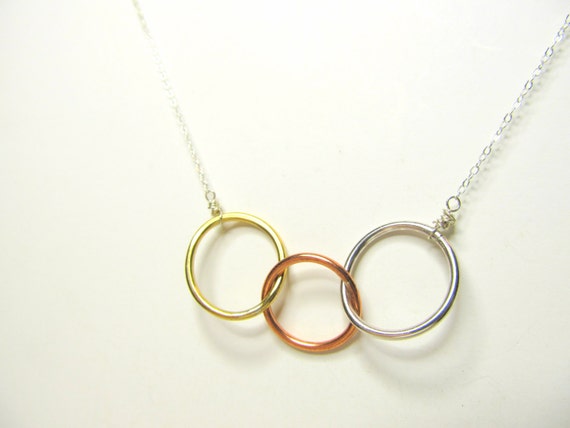
Mixed Metal Necklace from Little Hill Jewelry
Stained Glass Candle Holder from Green House Glassworks
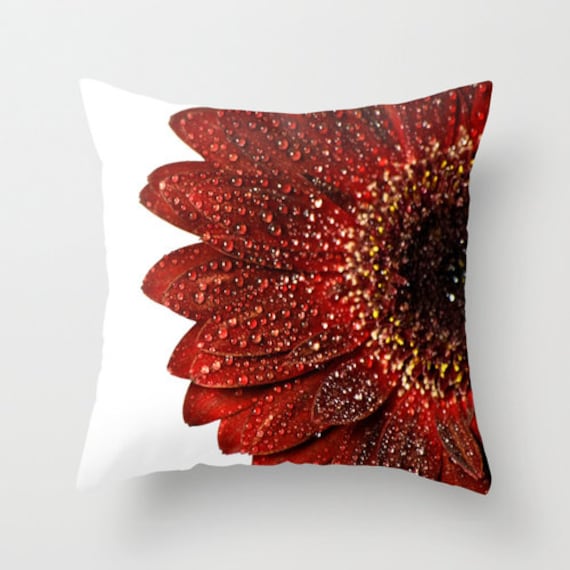
Gerbera Daisy Pillow Cover from Crystal Gayle Photo
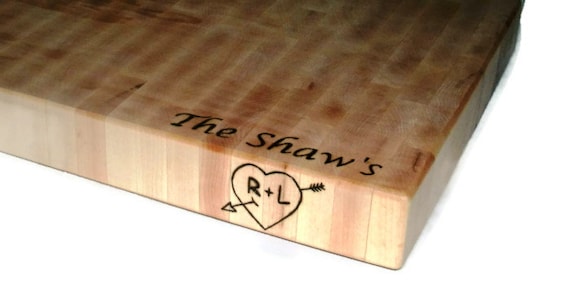
Personalized Handmade Cutting Board from Bill's Wooden Pleasures
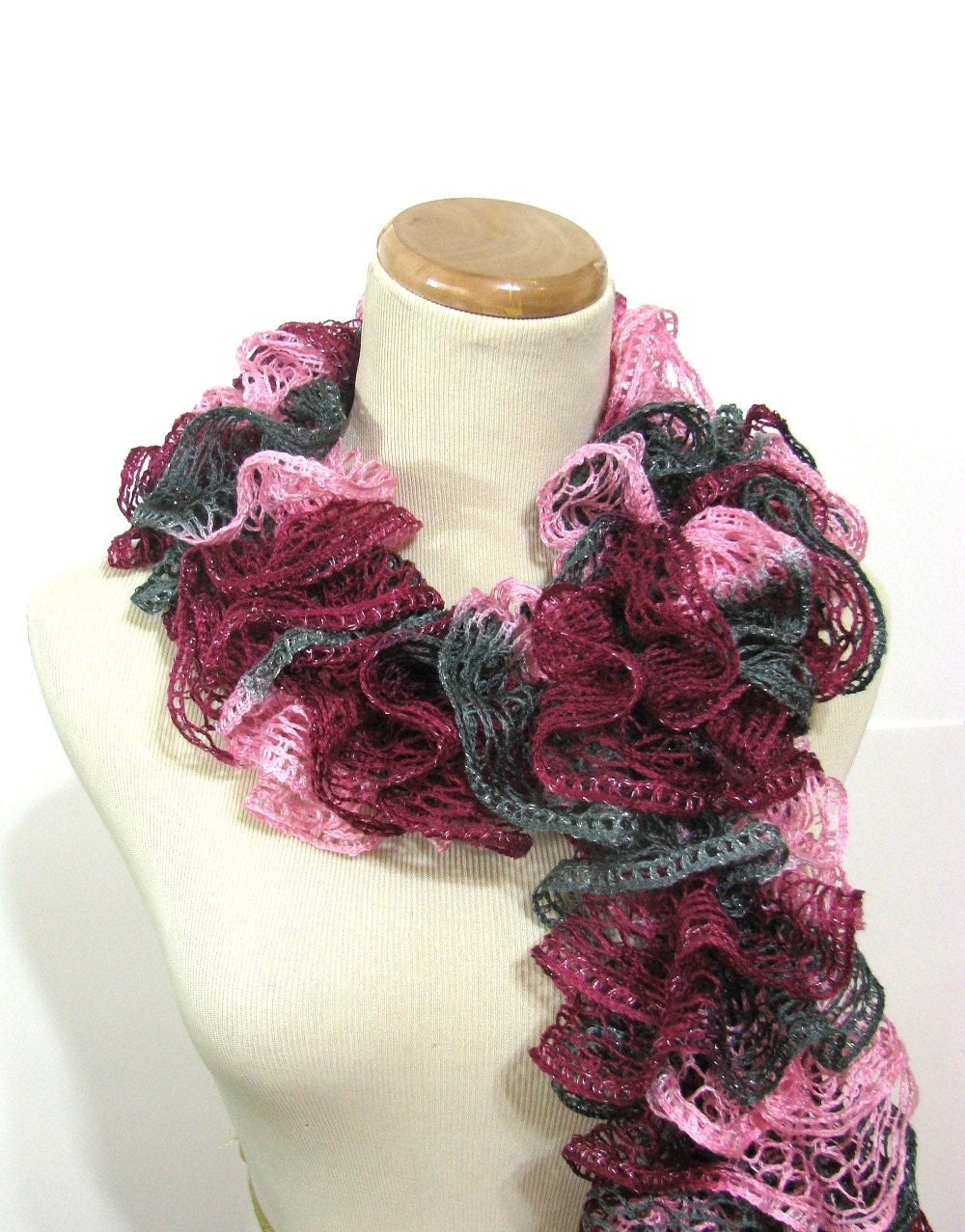
Hand Knit Ruffled Scarf from Arlene's Boutique
Enamel Earrings from Alery Accessories
Cherry Blossom Print from Haus of Ariella
Other participating shops include:
www.AltaSkincare.etsy.com
www.Bijibijoux.etsy.com
www.CherylParrottJewelry.etsy.com
www.Cloudninedesignz.etsy.com
www.CrochetedbyCharlene.etsy.com
www.DellCoveSpices.etsy.com
www.DLitesbyDorene.etsy.com
www.GeekeryDOO.etsy.com
www.Ginascornercrafts.etsy.com
www.jQjewelrydesigns.etsy.com
www.kapkadesign.etsy.com
www.krysthledesigns.etsy.com
www.Lindab142.etsy.com
www.maryannfarley.etsy.com
www.Newcreationz.etsy.com
www.NewEnglandQuilter.etsy.com
www.PaganCellarJewelry.etsy.com
www.peelirohini.etsy.com
www.Preciousbowtique.etsy.com
www.RomanticThoughts.etsy.com
www.sewinggranny.etsy.com
www.smileykitcreations.etsy.com
www.stinkRknits.etsy.com
www.symbolicImports.etsy.com
www.turtlexiii.etsy.com

And that's a wrap!  Be sure to follow our team blog to stay up to date on all the fun contests, giveaways, and sales being offered by members of the Promotional Frenzy Team on Etsy!


Tuesday, August 6, 2013

Google Hits: Four Tips for Getting Found!


It’s so frustrating! You’ve worked like a dog to get found in Google, yet when you search your shop name or your items, nothing seems to surface. What’s an Etsy shop owner to do?

According to Susan Newman of Susan Newman Design, Inc. in Jersey City, NJ, there are a few basic things you could change this very day that could alter your results dramatically. And all it takes is just a little time at the computer.

Newman’s tips come from her years of experience in web design, branding and social media, and the use of these ideas herself in her own business. Here’s what she suggests:

Susan Newman
Name your jpegs with keywords. (NOTE: Etsy renames your jpeg titles once they're uploaded. However, it's still a good practice to name your photos with keywords for when they appear in blogs or web sites.) Very often, we name our images with just numbers or our own internal coding system so that we can best find them quickly in our files. But Newman says this is a big no-no.  What you name your jpeg in your computer is what Google is going to search once it’s online.

 If you’re a jeweler, for example, and you’re selling a gold necklace with some colorful beads, you may want to name that photo “gold_necklace_purple_beads.jpg” so that the item will now come up in Google’s images search.

“The name you give that image is going to follow it wherever it goes on the web,” Newman says, “whether it’s on Etsy or Pinterest or Facebook. You want the image name to be the answer to someone’s query.”

One final tip: Be sure that there are no spaces in the jpeg name; use hyphens and underscores to divide words.

Create a blog…NOW.  Sure, everyone knows that blogging is a great way to draw customers to your shop, but the statistics on those who blog and those who don’t are staggering. And the numbers get even more astonishing depending upon how frequently you post.

According to marketing-software manufacturer Hotspot.com, people who blog daily are 90% more likely to generate a sale than those who blog monthly, who have just a 13% chance of a sale.  And the person who blogs multiple times per day actually has nearly a 100% shot at generating a sale. It doesn’t matter what the subject is…it’s getting your shop name out there on a regular basis that’s important.

“The more you blog, the more content you have streaming to the web,” says Newman, “and the more people you have coming to your site. Of course it has to be good content, but basically the more you blog, the more the return on investment becomes unreal.”

Newman stresses that a blog title needs to be rich with keywords. And if there is an area for a description, don’t overlook it as an opportunity for keyword exposure.
She also explains the importance of “long-tail keywords,” which more clearly refine and define your products. A web designer, for example, might use the keyword phrase “web design” to describe his or her business, but Newman said that would be of no use at all. In the case of her own company, if she used the keyword phrase “web design Jersey City,” she’d see more traffic to her site, but if she became even more specific, using the keyword phrase “custom Wordpress themes Jersey City,” her traffic would skyrocket, as would her placement in a Google search.

“With a phrase like that, I might now be on the first page,” she says, “and quite possibly even number one.”

So switch it up. If you blog just a few times a month, try posting twice a week and see what happens. It’s quite possible that you’ll double your sales.

Create a Facebook page.  Almost everyone has a personal page, but not all Etsy shops have a Facebook page, which are for businesses, organizations and brands to share their stories and connect with people. If a shop posts solely on their personal page, Google has no idea what they're doing. Why?

“If Etsy store owners just have a personal profile, none of what they say or write is searchable on Google, because that profile is private,  provided they chose that option in their settings,” Newman says. “But a Facebook page is public. That means that everything is searchable…your galleries, your image descriptions, your bio information, plus the images you upload.”

Like your jpeg images, when it comes to your Facebook page, think “keywords” in regards to just about anything you write. By drawing web surfers to your Facebook page, you're in turn drawing them to just about everything else you do, provided you've linked to all of your other social media...your web page, your LinkedIn page, your blog, and, of course, your Etsy shop.

Create a YouTube channel.  As YouTube is the second most searched site on the web (Facebook being number one and Google being number three), if an Etsy shop doesn’t have a YouTube presence, an enormous opportunity is being missed.  Creating video content might not be the first thing an Etsy owner would think of, but Newman says it makes sense.

There are any number of videos shop owners could create that would be of interest to their customers: tutorials, themselves at work in their studios, or a photo stream of their wares (using sites like Animoto, a free video-making site).

“In having a YouTube channel, you’re giving your audience another way to find you and your work,” Newman says. "As with your jpegs and Facebook, be sure to tag your videos properly with keywords and good descriptions, then cross-pollinate your platforms by putting that video link on your Facebook page and your blog. The more variety you have in the formats you give people, the more you’ll be opened up to new audiences.”

Click here for more information on Newman’s services.


Until next time!...
Mary Ann

maryannfarley.etsy.com

**********************************

Tuesday, July 30, 2013

Upcoming August Holidays!

As we near the month of August, I like to know what holiday's are approaching. This way I can gear my tags, treasuries and listing to fit the monthly themes people will be searching! Here is a list of August holidays some might seem wacky but just might get the attention of Etsy and Etsy shoppers!!!

National Golf Month and S'mores Day are my two favs!! how about you??


August, 2013 Bizarre and Unique Holidays


Month:
  • Admit You're Happy Month
  • Family Fun Month
  • National Catfish Month
  • National Eye Exam Month
  • National Golf Month
  • Peach Month
  • Romance Awareness Month
  • Water Quality Month
  • National Picnic Month
Weekly Events:
  • Week 1 National Simplify your Life Week
  • Week 2 National Smile Week
  • Week 3 Friendship Week
  • Week 4 Be Kind to Humankind Week
August, 2013 Daily Holidays, Special and Wacky Days:

1 National Raspberry Cream Pie Day
2 National Ice Cream Sandwich Day
3 National Mustard Day first Saturday
3 National Watermelon Day
4 Friendship Day - First Sunday in August
4 International Forgiveness Day - First Sunday in August
4 Sisters Day - First Sunday in August
4 U.S. Coast Guard Day
5 Work Like a Dog Day
6 Wiggle Your Toes Day
7 National Lighthouse Day
8 Sneak Some Zucchini onto Your Neighbor's Porch Day - now that's nasty!
9 Book Lover's Day
10 Lazy Day
10 National S'mores Day
11 Presidential Joke Day
11 Son and Daughter Day
12 Middle Child's Day
13 Chinese Valentine's Day/Daughter's Day - 7th day of 7th Lunar Month
13 Left Hander's Day
14 National Creamsicle Day
14/15 V-J Day - which date do you mark the end of WWII?
15 Relaxation Day - now this one's for me!
16 National Tell a Joke Day
17 National Thriftshop Day
18 Bad Poetry Day
19 Aviation Day
20 National Radio Day
21 Senior Citizen's Day
22 Be an Angel Day
22 National Tooth Fairy Day - and/or February 28
23 Ride the Wind Day
24 Vesuvius Day
25 Kiss and Make Up Day
26 National Dog Day
26 Women's Equality Day
27 Global Forgiveness Day
27 Just Because Day
28 Race Your Mouse Day -but we are not sure what kind of "mouse"
29 More Herbs, Less Salt Day
30 Frankenstein Day
30 Toasted Marshmallow Day
31 National Trail Mix Day

Tuesday, July 23, 2013

Growing Your Twitter Following!


Many people have asked me over and over how I got my Twitter following so high. I recently hit 37,000 followers and it keeps growing. My secret? 1 website and working it at least 1 time per day!

I use the site justunfollow.com it's a very user friendly site that can help you grow your followers and at the same time get rid of non-followers. They offer a FREE service which will limit you to following 50 new people and removing 50 non-followers every 24 hours. This was ok for me at first but to truly grow I needed more. So here is what they offered me:


I chose the Premium for $4.99 a year. I started with 3500 followers and it has only been 8 months and I am at 37k! So basically after you grow for 1 year ($5 investment) you can go back to the free version just to monitor if you want. I personally wont be happy til I hit 100k!! :-)

Now once you login via twitter you will get this screen:


I always start with my FANS, these are people who followed you but you do not follow yet. Make sure you follow them, becuase chance are they are using a site like this and will drop you fast if you don't return the favor! Just click the blue FOLLOW buttons all the way down!


Now it is off to WHO UNFOLLOWED YOU! these are the meanies! they followed you to gain your follow and than dropped you like a hot potato! Remember you have a limited # of people you can follow and there is no room for these guys!! Click the red buttons all the way down and make room for newbies! Justunfollow separates these people by day so you can see when it happened!


Now the Fun Begins!!!!


The next place I go is COPY FOLLOWERS! here you can input a twitter name and copy their followers. So you are gonna ask "WHO DO I COPY??" What I did was search tags I use in my tweets #jewelry #vintage etc. and I looked at people until I found someone who had 5k or 10k followers! I plugged their name in and started copying. I figure if they are gaining followers and talking about items like mine hey they might follow me! And they DID!!  Once you enter a twitter name a list of recommended people to follow will appear and you can click away on the follow button! These are people that justunfollow via some magical formula would be most likely to follow you back.

And as you see in the first image, the site keeps track of people you recently copied followers so you can go back and copy more later!! :-)

IMPORTANT: Even though when you pay the $4.99 you get unlimited follows/unfollows Twitter will stop you at 1000 follows per day! Also DO NOT do this all in one sitting. follow roughly 100 new people every 2 hours or so. Otherwise Twitter Police will shut the account down and cause you a headache and a half (i know they did it to me!!)  So shoot for following 300-500 per day and unfollow roughly the same. do it throughout the day while working your other social networks.


Now the NON FOLLOWERS! If you are just starting off leave this alone for 5 days at least. Since you just followed these people they will all show up as non-followers at first. When you click on non-followers it will give you the OLDEST (meaning the people you followed first) so you can clear out those you followed a few days ago. If you come across someone you want to follow like a celebrity or business and you DONT want to unfollow them CLICK WHITELIST this will keep them safe and you won't accidentally unfollow them.

So once you are ready you can simply go through and unfollow 100 people in a couple clicks and leave the rest in case they decide to follow you in the next few days. The NON FOLLOWERS I personally work every 3 days or so, this allows people time to follow me back.

This is the key to growing Twitter followers, you follow a ton of people and hope they return the favor! that's it. And those who don't return the favor get dropped and you start again.

Now you might ask is it worth the $5 and time? My answer is YES! Since growing my twitter following my views nearly doubled. I have tweets set up on dynamic tweets and I tweet regularly and it gets people in my shop. So for one day when I joined I sacrificed my Starbucks coffee and joined justunfollow.com and LOVE IT!

Now those who have small followings remember twitter has limits on how many people you can follow until you start growing

here are twitters FOLLOW LIMITS: https://support.twitter.com/articles/15364#
this will explain how many you can follow
  • Following (daily): The technical follow limit is 1,000 per day. Please note that this is a technical account limit only, and there are additional rules prohibiting aggressive following behavior. Details about following limits and prohibited behavior are on the Follow Limits and Best Practices page. 
  • Following (account-based): Once an account is following 2,000 other users, additional follow attempts are limited by account-specific ratios. The Follow Limits and Best Practices page has more information. 

Bill Guest
www.pagancellarjewelry.etsy.com